


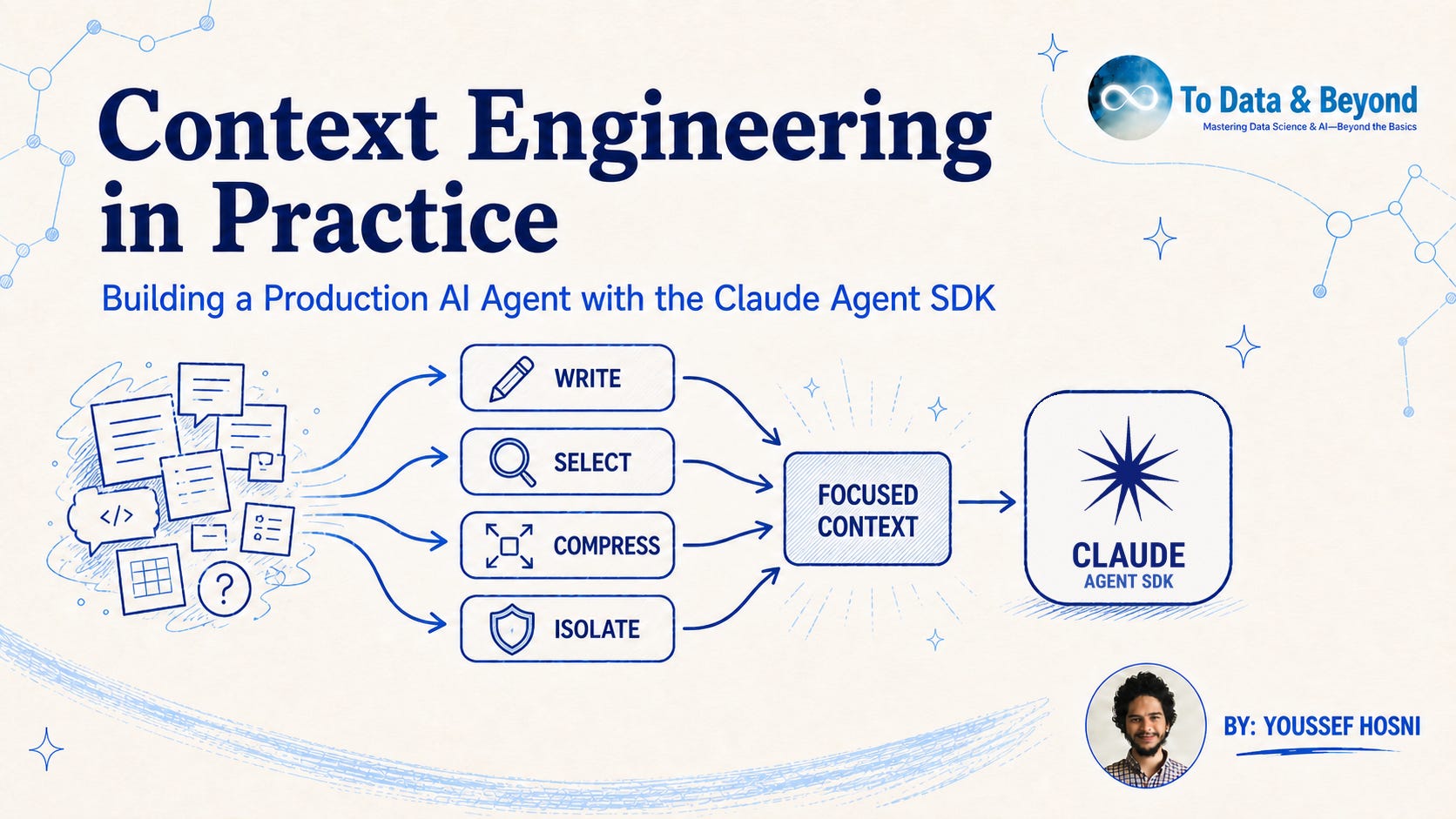
A technical research agent rarely fails because one prompt is too difficult. The operational problem is accumulation. A single investigation can produce user instructions, a plan, search queries, fetched pages, tool schemas, source metadata, intermediate claims, subagent reports, and previous conversation turns. If every item remains active, useful evidence must compete with the agent’s own history for attention.
This article turns the Write, Select, Compress, and Isolate framework from Part 1, “Context Engineering for AI Agents: Concepts, Failure Modes, and Core Strategies,” into a working Python architecture.
We will improve the same agent one decision at a time, while asking one question at each boundary: what information should the LLM (Claude) see now, and what can remain in the environment? The result is a runnable research agent rather than a survey of every Claude Agent SDK capability.
Table of Contents:
What We Are Building
Establish the Naive Baseline
Write: Move Working State Outside the Conversation
Select: Assemble a Bounded Working Set
Compress: Make Long Sessions Recoverable
Isolate: Delegate Focused Investigations
Isolate Heavy Tool Outputs in the Environment
Carry Context Across Sessions
Assemble the Context-Engineered Agent
Compare the Two Architectures
Want to Go Deeper into Context Engineering?
I am hosting a 3-hour live workshop on Context Engineering, where we will move from the concepts into implementation. You will apply the techniques covered in this series by building a real AI agent, engineering its context throughout the workflow, and evaluating how well the agent performs.
Date: Sunday, 30 August · 18:00–21:00 EEST
Early-bird price: $40 with code CONTEXT40 until 23 August at 23:59 EEST. After that, the price returns to $50.
1. What We Are Building
Our agent receives a question, creates a research plan, searches primary sources, delegates focused investigations, records evidence, and produces a cited report. The running task is: “Compare the main approaches for long-term memory in production AI agents and explain their trade-offs.” It is broad enough to require papers, implementation documentation, repository evidence, and citation checks.
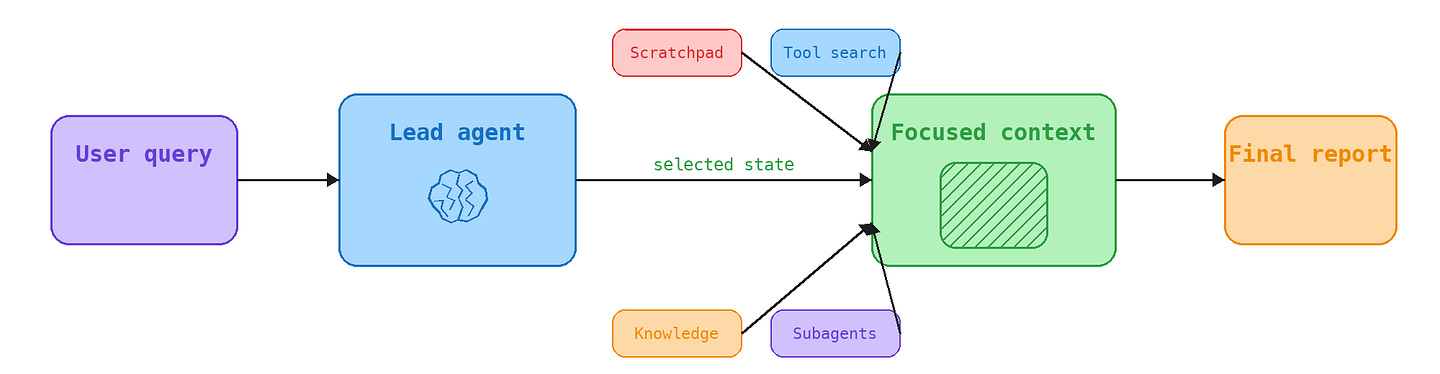
The lead agent owns the research plan and final synthesis. Files hold curated working state, retrieval keeps the knowledge payload bounded, and subagents investigate narrow questions in separate contexts. These are application decisions built around the SDK. The SDK supplies the model and tool loop, while the application decides where state lives and how much of it crosses each boundary.
To start the project, we will create the environment and install the exact SDK version before running any module:
# terminal
python3 -m venv .venv
source .venv/bin/activate
python -m pip install claude-agent-sdk==0.2.139
export ANTHROPIC_API_KEY=”your-api-key”
The project layout separates the agent configuration from workspace operations, custom tools, hooks, and measurement. That separation matters because each context operation will change one boundary without requiring a new application.
# code/
research_agent/
  config.py       # naive and engineered ClaudeAgentOptions
  hooks.py        # pre-compaction checkpoint
  metrics.py      # message-stream and context measurements
  runner.py       # repeated runs and comparison
  tools.py        # in-process MCP tools
  workspace.py    # scratchpad and bounded retrieval
knowledge/
  memory_approaches.json
tests/
CLAUDE.md
Context engineering begins by assigning ownership: the conversation carries the current decision, while files, tools, retrieval systems, and subagents carry everything that does not need to be active now.
2. Establish the Naive Baseline
The smallest Agent SDK program delegates the control loop to query(). Claude receives the prompt, evaluates whether it needs a tool, observes the tool result, and repeats until it returns a result or hits a configured limit. This loop is provided by the Agent SDK, so the application does not need to implement tool-call parsing and dispatch itself. The sequence and message types are documented in the official agent-loop guide.
# research_agent/minimal.py
import asyncio
from claude_agent_sdk import ClaudeAgentOptions, ResultMessage, query

QUESTION = “Compare approaches for long-term memory in production AI agents.”

async def main() -> None:
    options = ClaudeAgentOptions(
        model=”sonnet”,
        allowed_tools=[”WebSearch”, “WebFetch”],
        permission_mode=”dontAsk”,
        max_turns=20,
    )
    async for message in query(prompt=QUESTION, options=options):
        if isinstance(message, ResultMessage):
            print(message.result or “”)

asyncio.run(main())
That program hides an important detail: query() manages the loop, but the application still controls what enters it. The runnable baseline in research_agent/config.py makes those choices explicit:
# research_agent/config.py
def naive_options(*, run_root, server, model, max_budget_usd):
    tools = [”Read”, “Glob”, “Grep”, “WebSearch”, “WebFetch”]
    return ClaudeAgentOptions(
        cwd=run_root,
        model=model,
        tools=tools,
        allowed_tools=[*tools, “mcp__research__*”],
        permission_mode=”dontAsk”,
        mcp_servers={”research”: server},
        strict_mcp_config=True,
        setting_sources=[],
        system_prompt={
            “type”: “preset”,
            “preset”: “claude_code”,
            “append”: NAIVE_PROMPT,
        },
        env={”ENABLE_TOOL_SEARCH”: “false”},
        max_turns=20,
        max_budget_usd=max_budget_usd,
    )
There is no Write tool, Agent tool, agents configuration, hook, or project instruction source. The lead agent must do the entire investigation in one conversation. ENABLE_TOOL_SEARCH=false also means the MCP schemas are not deferred behind selection. The system prompt completes the policy: call the whole-corpus tool, retain findings in the conversation, and do not create workspace notes or delegate.
The whole-corpus tool is intentionally small because the problematic behavior is its return contract, not its implementation:
# research_agent/tools.py
@tool(
    “load_knowledge_corpus”,
    “Return the entire local memory-research collection. Intended only for the naive baseline.”,
    {},
    annotations=ToolAnnotations(readOnlyHint=True, openWorldHint=False),
)
async def load_knowledge(_: dict[str, Any]) -> dict[str, Any]:
    return _text_result(load_corpus(corpus_path))
When Claude calls this function, the SDK emits the result in a UserMessage containing a ToolResultBlock. “User” here is the protocol role, not another human message. That block becomes part of the history supplied to later model steps. A web search, three fetched pages, and the full corpus therefore produce a repeated sequence like this:
UserMessage(question)
AssistantMessage(ToolUseBlock: load_knowledge_corpus)
UserMessage(ToolResultBlock: entire corpus)
AssistantMessage(ToolUseBlock: WebSearch + WebFetch)
UserMessage(ToolResultBlock: raw search and page content)
AssistantMessage(final report)
Nothing in this sequence is inherently wrong. It becomes naive because the application never converts raw results into curated external state or removes them from the active trajectory.
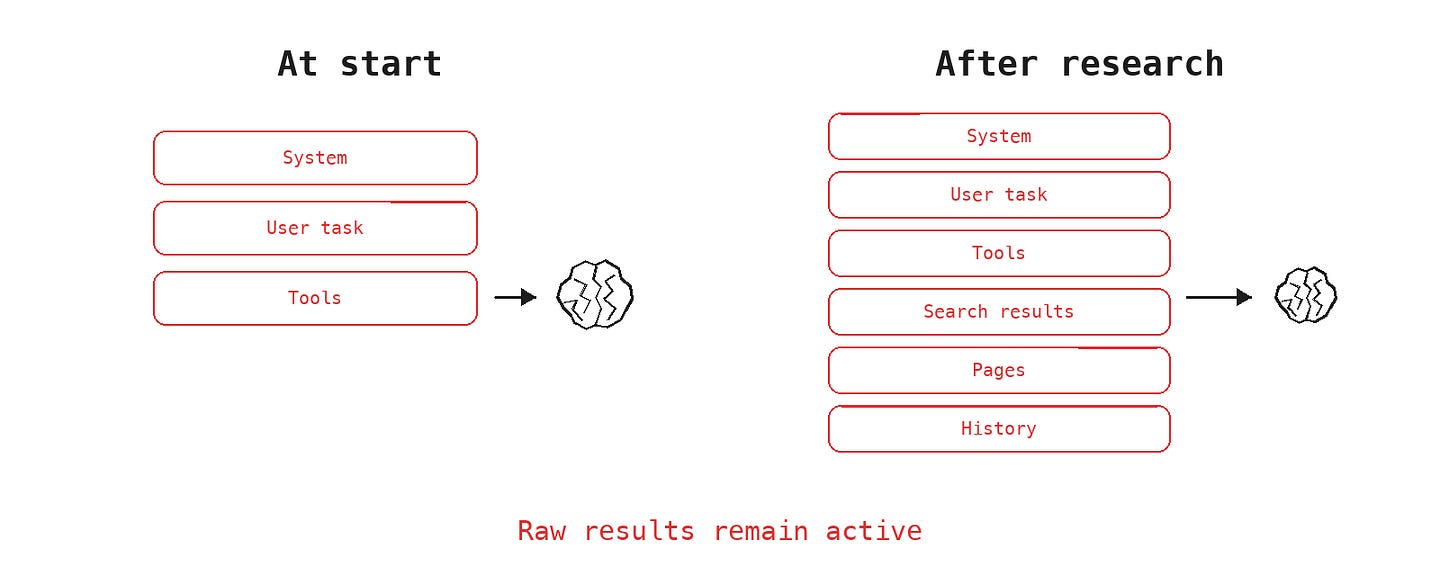
Tool search is enabled by default for most Agent SDK configurations, with documented exceptions, so a current baseline must disable it deliberately if the experiment intends to preload the full tool surface. The naive design is useful as a control because it removes every context-management decision we want to evaluate later.
Before spending time and tokens on the comparison, scripts/smoke_test.py sent one constrained request through the same SDK configuration. The captured output established that authentication, routing, and model resolution all worked:
# Captured output: python scripts/smoke_test.py
subtype=success
result=OPENROUTER_OK
models=claude-sonnet-5
The full baseline then ran three times. Its results appear beside the engineered trials in Section 10. The first trial makes the accumulation concrete:
# Captured output: python scripts/show_naive_trial.py ../measurements/comparison.json
Naive trial 1
SDK result: success
Assistant steps: 4
Tool calls: 6
  WebFetch: 3
  WebSearch: 1
  mcp__research__load_knowledge_corpus: 1
  mcp__research__search_knowledge: 1
Final active context: 16,478 tokens
Final tool-result payload: 6,851 tokens
Cumulative tree input: 138,182 tokens
Estimated cost: $0.754
The last three values measure different things. 16,478 is the final active lead context. Of that snapshot, 6,851 tokens came from tool results. 138,182 is cumulative input across all four assistant steps, including cache creation and cache reads; it does not mean the agent had a 138,182-token context window at once. This distinction will matter when subagents enter the comparison.
A naive agent is a useful experimental control only when conveniences such as tool search are disabled explicitly; current SDK defaults can otherwise make the baseline less naive than intended.
3. Write: Move Working State Outside the Conversation
The first improvement creates a filesystem-backed scratchpad. plan.md records the question, research dimensions, completed work, and remaining work. research_notes.md holds claims, evidence, and contradictions; sources.json holds citation metadata; open_questions.md makes unfinished work explicit, and artifacts store large source material.
# research_agent/workspace.py
def initialize_workspace(root: Path, question: str) -> Path:
    workspace = root / “workspace”
    workspace.mkdir(parents=True, exist_ok=True)
    (workspace / “artifacts”).mkdir(exist_ok=True)
    (workspace / “checkpoints”).mkdir(exist_ok=True)

    for name, template in WORKSPACE_FILES.items():
        path = workspace / name
        if not path.exists():
            path.write_text(template.format(question=question), encoding=”utf-8”)
    return workspace
The files are durable application artifacts. The agent updates them after research steps, then reads only the file needed for the next decision. A crash or compaction event does not erase the curated plan and evidence, and a human can inspect the state without having to reconstruct it from a transcript.
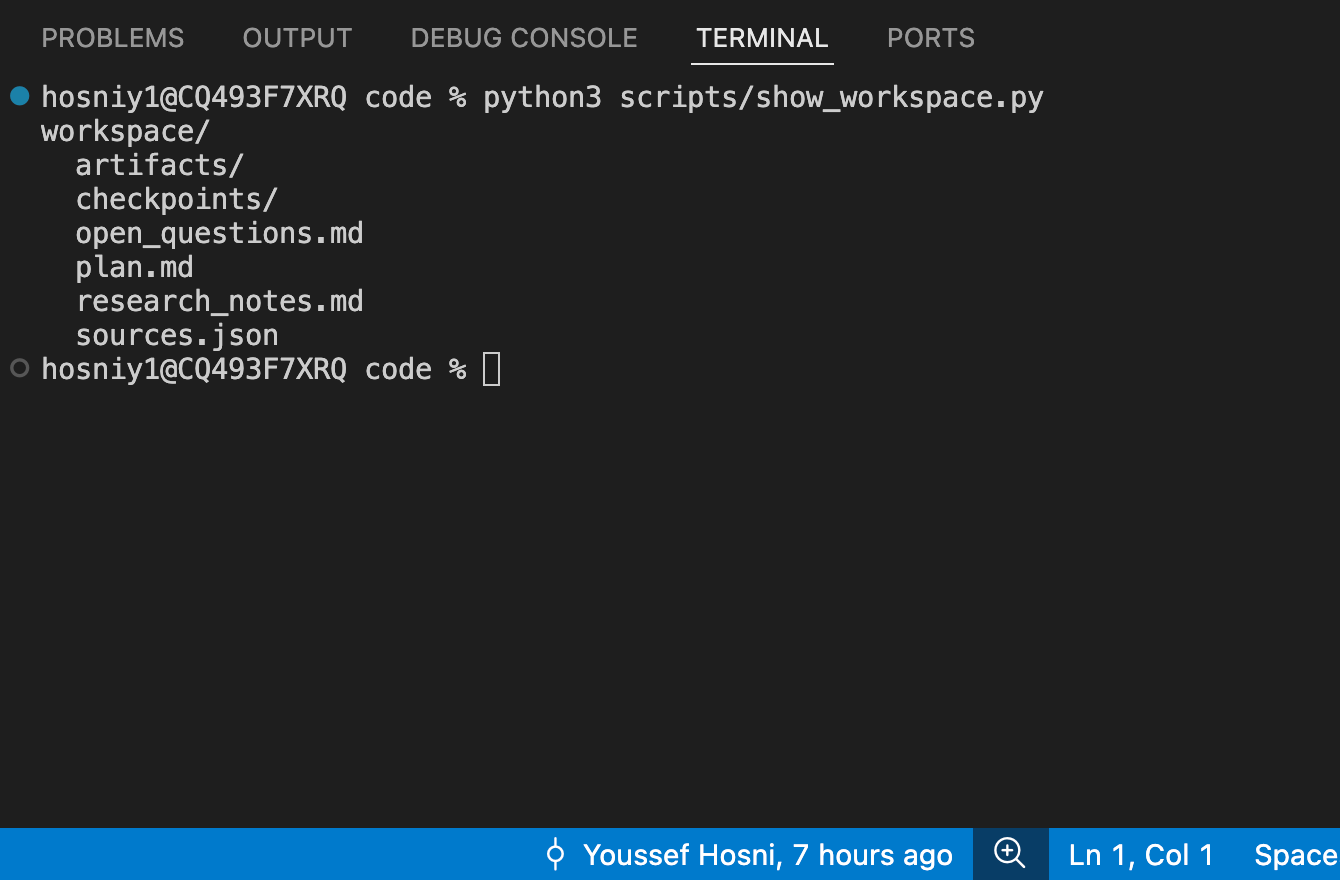
An SDK session has a different responsibility. According to the session documentation, a session stores the prompts, tool calls, tool results, and responses needed to continue a conversation. Our scratchpad stores the application’s curated research state. Resuming a session restores trajectory; reading plan.md restores a deliberately maintained representation of the job.
The distinction prevents two common mistakes. Treating the transcript as the only database makes recovery dependent on an increasingly long history. Treating the scratchpad as a transcript dump recreates the same context problem on disk. Each file therefore has a narrow schema and should contain conclusions, evidence, and outstanding work rather than copied conversations.
Session history preserves how the agent arrived here; the scratchpad preserves the small, curated state required to decide what to do next.
