
Use Codex Inside Claude Code Instead of Choosing Between Models: Claude Writes. Codex reviews
How to Use Codex Inside Claude Code for Review, Rescue, and Safer Shipping?

For a while, the conversation around AI coding tools has been framed in the wrong way. Most of the discussion focuses on comparison: which model writes better code, which coding agent is smarter, and which one should replace the other in a developer’s workflow. But that is probably the least useful question to ask.
A more practical question is this: what happens when you stop treating AI coding tools as competitors and start using them as collaborators?
That is what makes the Codex plugin for Claude Code worth paying attention to. Instead of forcing developers to choose between systems, it introduces a workflow where different tools can take on different roles. Claude Code can help push implementation forward, while Codex can step in to review changes, challenge assumptions, and rescue stalled tasks when needed.
This matters because writing code is only one part of software development. The harder part is often deciding whether the code is safe, reliable, and ready to ship. Moving fast is useful, but so is having another system pressure-test your work before it reaches production. That is where this plugin becomes interesting. It shifts the conversation away from model rivalry and toward workflow design.
The real story here is not Claude Code versus Codex. The real story is that AI coding workflows are starting to look more like team workflows, where one system writes and another reviews.
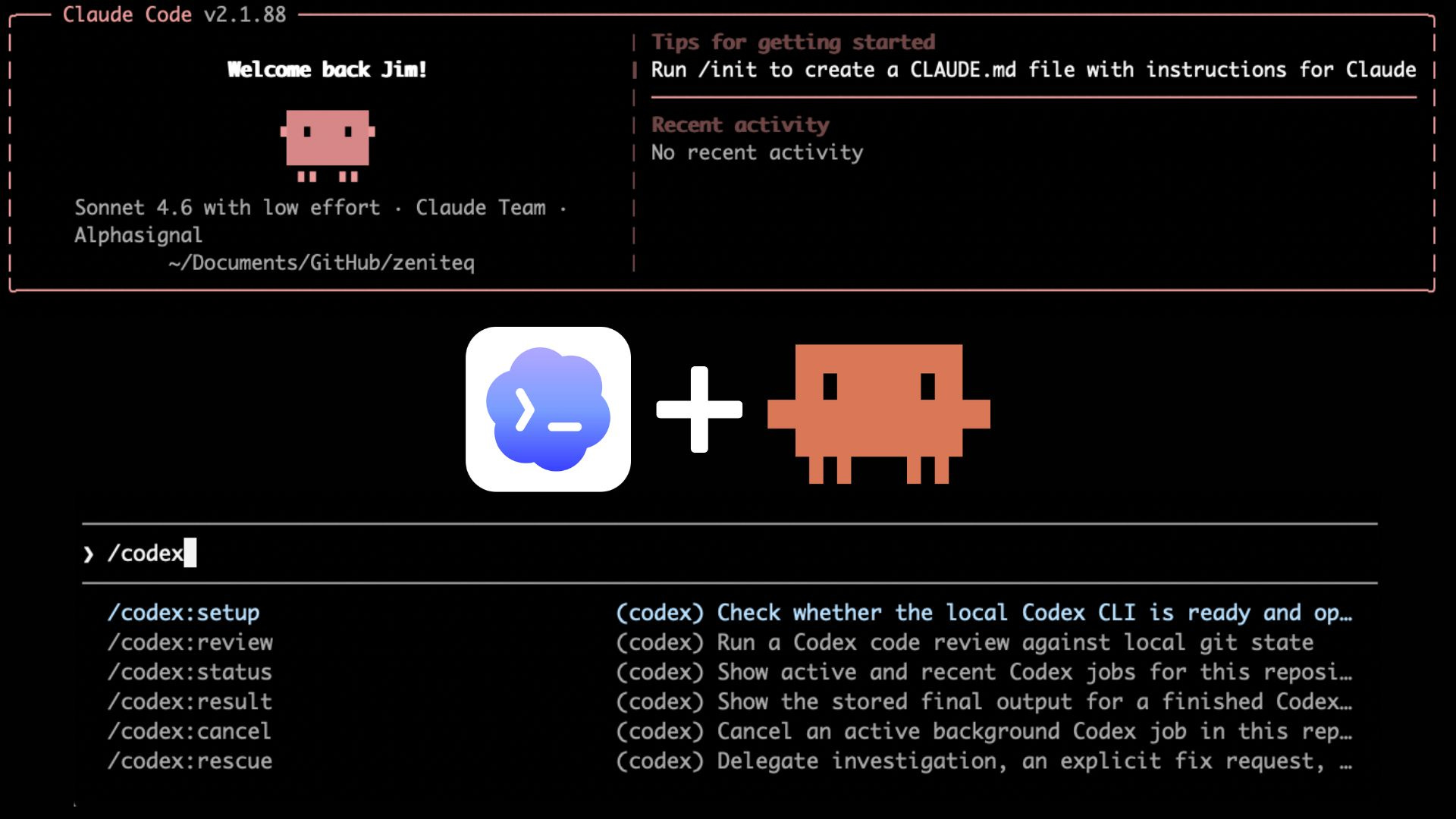
Table of Contents:
Using Codex Inside Claude Code: A Better AI Coding Workflow
Introducing the Codex Plugin for Claude Code
The Main Commands: Review, Adversarial Review, and Rescue
Why Adversarial Review Stands Out?
A Practical Workflow: Claude Writes, Codex Reviews
Before we dive in, if you’re working with Claude Code and want to go beyond basic prompting, I’m hosting a hands-on workshop that might be useful.
Building Agent Skills for Claude Code is a practical session where we focus on creating reusable Skills that help you build more consistent and repeatable workflows.

1. Using Codex Inside Claude Code: A Better AI Coding Workflow
For a while, the conversation around AI coding tools has been framed the wrong way. Most people ask which model is better, which one writes cleaner code, or which assistant should replace the other in their workflow. But that is probably the least useful way to look at what is happening.
A more practical question is this: what happens when you stop treating AI coding tools as competitors and start using them as collaborators?
That is what makes the new Codex plugin for Claude Code interesting. Instead of forcing developers to pick one side, it opens the door to a workflow where each system plays a different role. Claude Code can help move implementation forward, while Codex can step in to review changes, challenge assumptions, and help recover when a task gets stuck.
This shift matters because writing code is only one part of software development. The harder part is often checking whether the solution is safe, solid, and ready to ship. A tool that helps you generate code quickly is useful. A second tool that pushes back on risky design choices can be even more useful.
That is why this release is worth paying attention to. The real story is not Claude versus GPT. The real story is that AI coding workflows are starting to look more like team workflows: one agent builds, another reviews, and the combination can be more useful than either one alone.
2. Introducing the Codex Plugin for Claude Code
OpenAI released an official plugin called codex-plugin-cc for Claude Code, making it possible to use Codex directly without leaving the Claude Code workflow. That is what makes this release more interesting than a typical model announcement. It is not just about adding another AI coding tool. It is about making it easier to use two systems together inside the same development environment.
This changes the framing in a useful way. Instead of asking which model should handle everything, developers can start thinking in terms of roles. Claude Code can keep the implementation moving, while Codex can step in to review changes, challenge assumptions, or help rescue a task when progress stalls. In other words, the value here is not model replacement. It is workflow design.
Getting started is fairly straightforward inside Claude Code. The first step is to add the plugin marketplace:
/plugin marketplace add openai/codex-plugin-cc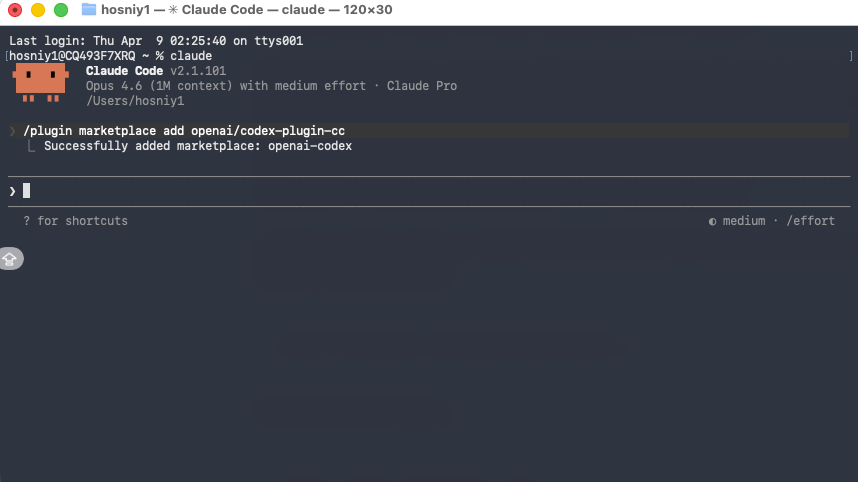
Then install the plugin:
/plugin install codex@openai-codex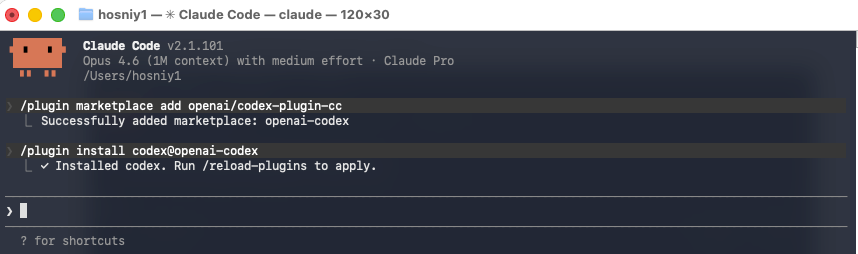
After that, reload plugins:
/reload-pluginsOnce the plugin is loaded, run:
/codex:setup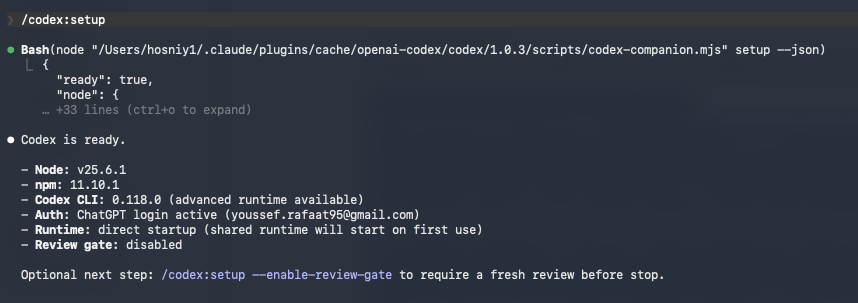
This setup command checks whether Codex is ready to use. If Codex is missing and npm is available, it can offer to install Codex for you automatically. If you would rather install Codex yourself, you can do that manually with:
npm install -g @openai/codexIf Codex is installed but not logged in yet, the next step is:
!codex loginAfter installation is complete, you should see the new slash commands appear inside Claude Code, and you should also see the codex:codex-rescue subagent listed in /agents. A simple first test run looks like this:
/codex:review --background
/codex:status
/codex:result
That first run already shows the larger idea behind the plugin. You are no longer working with a single assistant in isolation. You are building a workflow where one tool can generate momentum, and another can inspect the result from a different angle. That is the real reason this plugin matters.
The next step is to look at the commands themselves and understand when to use review, adversarial review, and rescue.
